The Stakeholder license is available via Alchemer Customer Success Managed accounts. Contact your Alchemer Customer Success Manager to learn more.
The Stakeholder user license allows you to create logins for coworkers and stakeholders who need visibility into survey results and dashboards, without the ability to build surveys or dashboards. This license is ideal for keeping teams, leaders, and external stakeholders informed while maintaining control over data and configuration.
Stakeholder users have:
- View-only access to Survey reports
- Interactive access to Alchemer Dashboard (if enabled on your account)
- No ability to create or edit surveys, reports, or dashboards
What does a stakeholder licensed user see when they log in?
Each Stakeholder user (like all users in Alchemer) is assigned to a Team. Surveys are also assigned to Teams.
Survey access
When a Stakeholder logs in via Survey, they will see all surveys assigned to their Team.
Learn how to change a user's team.
When a Stakeholder selects a survey, they are taken directly to that survey’s Reports tab. Other tabs (such as Build or Style) are not accessible.

On the Reports tab, Stakeholders can:
- View all existing reports for the survey
- Open reports to explore associated data
- Filter and export report data
Stakeholders cannot create or edit reports.
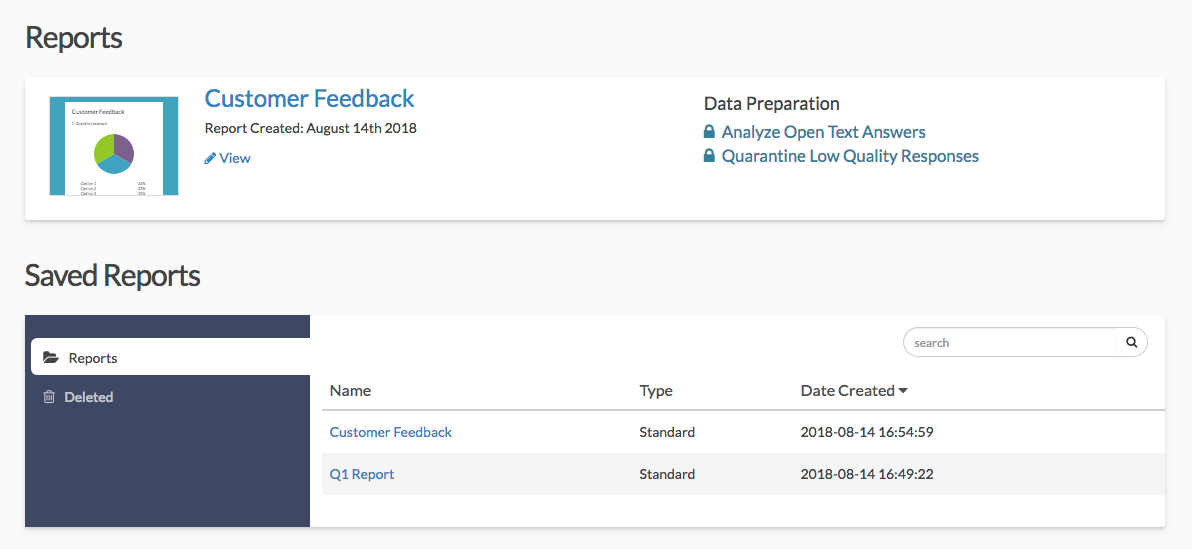
Standard Reports
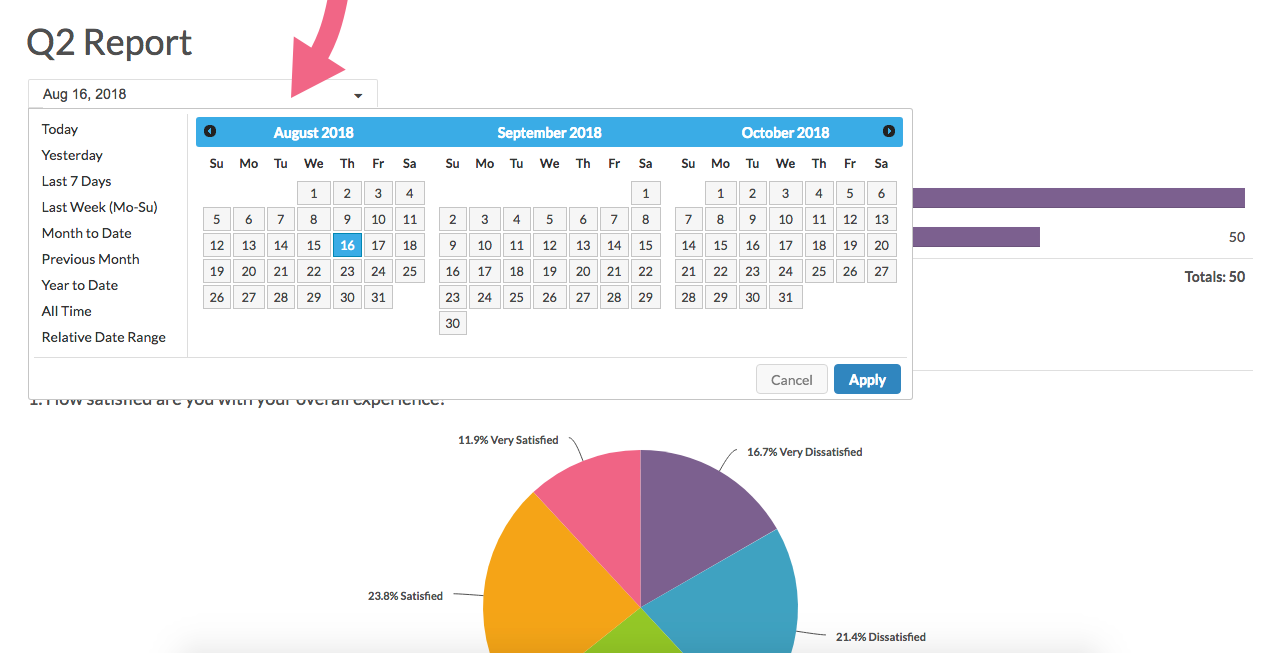
Within Standard Reports, stakeholder users can:
- They can filter the report data by date.
- Download reports as a PDF, PowerPoint, Excel, or Word document

Dashboard access (if enabled)
If your account includes Alchemer Dashboard, Stakeholder users also have access to interactive dashboards.
Stakeholders function as Consumer users in Dashboard, meaning they can:
- View shared dashboards
- Filter and drill down into data
- Interact with charts and visualizations
- Share and export dashboards
- Set alerts and schedule dashboard notifications
Stakeholders cannot:
- Create, edit, or delete dashboards or charts
- Manage data sources
AI features (advanced dashboard)
If your account includes Advanced Dashboard, Stakeholders can view AI-powered insights, such as AI Highlights, within dashboards they have access to.
How dashboard access is controlled
A Stakeholder user’s access to Dashboard data is determined by:
- Team membership (in Survey): Controls default data visibility
- Dashboard sharing: Creators can share dashboards or data across Teams
Stakeholders will only see dashboards and data that:
- Belong to their Team, or
- Have been explicitly shared with them
Logging in and navigation
Stakeholder users can access both Survey and Dashboard:
- Logging in at https://app.alchemer.com/ opens Survey
- Logging in at https://clarity.alchemer.com opens Dashboard
Users can switch between products using the app launcher (nine-square grid icon).
Direct links to dashboards will prompt users to log in before displaying the shared dashboard.
Summary
The Stakeholder license is designed for broad, secure visibility across your organization. It allows users to explore results and insights—both in reports and dashboards—without impacting survey or dashboard configuration.
